
MAX FPS: Optimized server hosting
🚀 MAX FPS WITHOUT UNNECESSARY MODS! Only 16 optimization mods - NOTHING EXTRA! ✅ ALL MAJOR VERSIONS ⚡ INSTALLS ON ANY LAUNCHER! (Guide below) Run it on your own server, hosted in the UK, set up in one click.
Recommended: OK
- 2 GB RAM and 1 CPU core (bursts to 1.25)
- 15 GB storage, 3 backups
- MAX FPS: Optimized installed for you, with Fabric and every server-side mod
- Runs 24/7 on our machines in the UK
Screenshots
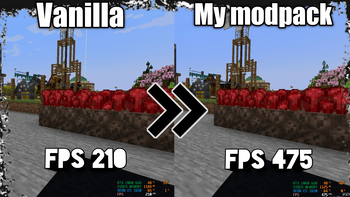
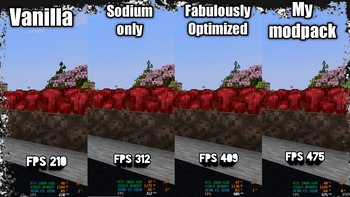
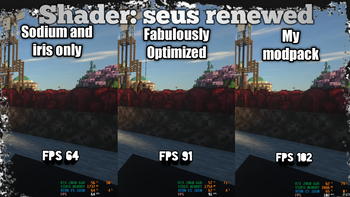
How it works
- Pick a plan and name your server. MAX FPS: Optimized is already selected for you.
- We install the pack: Fabric, the mods, and the right Minecraft version. The first start takes a few minutes while everything downloads.
- Players install MAX FPS: Optimized with the Modrinth app or Prism Launcher, then join with your server's address.
- Keep it updated from your panel: newer pack versions install in place, with a backup first.
MAX FPS: Optimized server questions
How much RAM does a MAX FPS: Optimized server need?
MAX FPS: Optimized runs well on our OK plan with 2 GB of RAM for a few friends. Bigger groups, lots of exploring or extra mods need more, and you can move up a plan at any time without losing your world.
Can I try MAX FPS: Optimized for free?
Yes. Every account gets one Free server with 1 GB of RAM. Lighter packs run on it; heavier ones are slow to start or run out of memory, so upgrade if that happens.
Can Bedrock players join a modpack server?
No. Modpacks need the Java Edition of Minecraft with the same pack installed on each player's computer (the Modrinth app or Prism Launcher install it in one click).
Can I update MAX FPS: Optimized later?
Yes. Pick a newer version of the pack in your server panel. A backup is made first and your world is kept.
Where is the server hosted?
On our own machines in the United Kingdom, so ping is low for players in the UK and Europe.
Other popular modpacks





Pack details and images come from MAX FPS: Optimized on Modrinth. MAX FPS: Optimized is made by its own authors; RKing Industries hosts it and isn't connected to them.